

FJ Motorwerkes
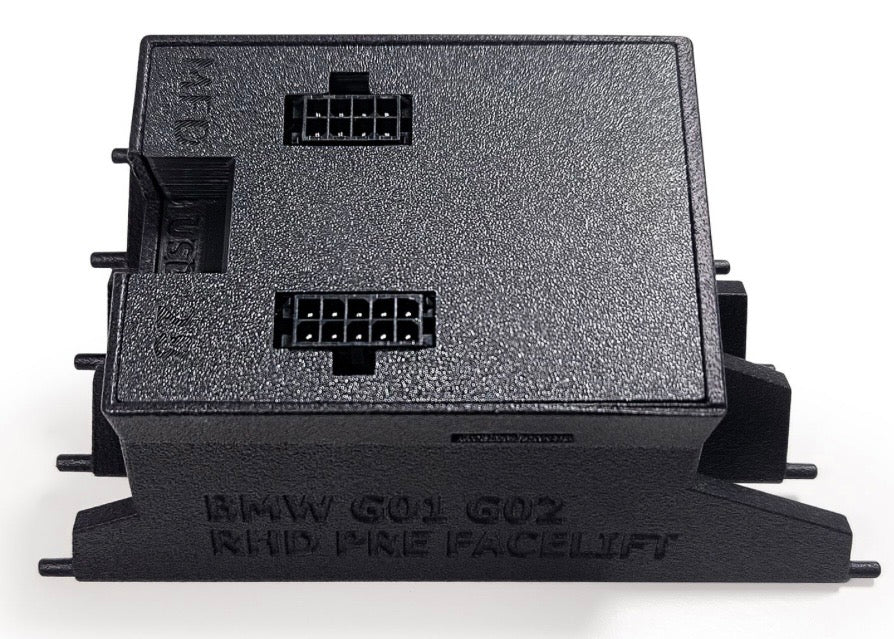
BMW X3M X4M Canchecked data display air vent gauge Rhd or Lhd MFD28 Gen2 G01 G02 F97 F98
BMW X3M X4M Canchecked data display air vent gauge Rhd or Lhd MFD28 Gen2 G01 G02 F97 F98
Couldn't load pickup availability
BMW X-series X3M X4M + X3 X4 base models G01 G02 F97 F98 FL - perfectly integrated and all data always in view
The vehicle-specific MFD28 Gen2 turns your vent into an intelligent display with features you won't want to miss. Our displays are designed to be installed by anyone. For most models, there is an illustrated installation manual, so that you can install your display without visiting the workshop.
Key features
- Perfect integration: the vehicle-specific panel still allows airflow past the display
- Can Bus: Reading of in-depth vehicle data such as manufacturer diagnostic tools
- Gear indicator: Directly via Can Bus or calculated from speed and rpm
- Touchscreen: Navigate through intuitive swiping through the pages
- Customization: Design your own pages, add your own images or your own startup animation
- Additional inputs: Connect up to 4 analog inputs and an ethanol sensor directly to the display
- Can Switching: Use your display as a keypad and send your own Can messages to the bus
- Customizable Alarms: Individual alerts can be easily configured and activated. For example, get a big warning message when the exhaust temperature is above 900 degrees
- Logging: Log and save your data for a later evaluation on the internal SD card
- Performance Meter: Measure your 0-100, 100-200 and 0-200 times with the integrated Performance Meter without additional hardware
- DTC*: Read and delete the errors of engine control unit, transmission, ABS and all-wheel drive
- Dim*: Your display automatically dims along with the instrument panel
Different views
Configure your own page or choose from several pre-built views:
- The display is delivered with predefined sample pages
- Creation of own pages possible and desired
- Up to ten pages possible
- 20 different widget types (e.g. sensor value, analog pointer, YT diagram, speed bar, circular display, vertical/horizontal bar)
- Widgets are scalable in size and positionable by drag and drop
- Colors of the widgets fully adjustable
- Up to 64 widgets per page
Display Setup Software - DSS
With the CANchecked DSS you can completely customize your display to your wishes. With the integrated log viewer you can download and view the log files. Furthermore, a can logger is integrated. The heart is the integrated TRI editor with which you can adjust the sensors (whether Can Bus or internal): Give min/max values for warnings and change the names of your sensors.
Supported values
Many customers always ask: What values can I query from my control unit. The answer: ALL
We have reverse-engineed the data here for most engines and can offer in-depth data. In addition to the Can Bus data query (UDS, TP2, manufacturer-specific protocols), our display also supports data query via K-Line (ISO 9141).
By default, your display comes with pre-built TRI/TRX files. All sensors are defined in the files, which are queried. These vary from engine to engine. Here is an excerpt of what is possible:
Temperatures:
- Water temperature engine, intake temperature, exhaust temperature, transmission temperature, catalytic converter temperatures, temperature in the display
Press:
- boost pressure, ambient pressure, oil pressure
Lambda/Mix
- Lambda value target/actual, short-term lambda adjustment, long-term lambda adjustment, MAF, engine load, torque
Driver dynamics:
- Brake pressure, vehicle speed, throttle angle/accelerator position, steering angle, cross-acceleration, fuel consumption, tank capacity
OTHER
- Speed, total ignition angle, gear, battery voltage, ignition angle return per cylinder, ignition timing, voltage (display/on-board electrical system), light status
Analog inputs
- further sensors can be added here: oil temperature, fuel pressure, oil pressure, etc. but also an ethanol sensor (Flex Fuel)
If values are missing, they can be added without any problems.
ATTENTION: not every engine offers all values!
Delivery contents
Each delivery includes:
- MFD28 Gen2 data display integrated in the ventilation insert for LHD vehicles
- Vehicle-specific connection cable
- Quickstart Guide
- USB data cable
- SD card (pre-installed in the display)
- SD Card Adapter
- Display film (to prevent reflections)
Connection and expansion
Any sensor can be connected via the four analog inputs – we support both linear 0-5V and NTC sensors.
Our in-house CANchecked sensors are stored in the TRI/TRX files by default and only need to be connected:
- AIN1: Temperature sensor (NTC01)
- AIN2: Converter for exhaust gas temperature probe type K (TCC01)
- AIN3: Pressure sensor 0-10 bar (FLP01)
- AIN4: Charge pressure sensor 0-5.5 Bar absolute (BST10)
You can use our pre-assembled AIN wiring harness for connection.
In addition to the analog sensors, you can also connect our external switching flash with 8 LEDs. This can flash in different colors and the speed limits and colors can be configured directly on the display.
You connect the ethanol sensor directly to the display. You need a pullup resistor (10K) between 5V and signal. You can then view the ethanol content and temperature directly on the display and log in.
Advanced features
With the Math-Channels you can offset sensors with each other. The user tables give you the opportunity to generate additional sensors using 2D or 3D maps.
Optional accessories
- CC24000 SLM08 - external switching flash module
- CC22780 ANC04 - quadruple AIN wiring harness 300cm
- CC22100 CBD08 - eight-fold Can Distribution Hub
- CC22902 NTC01 - Temperature sensor for liquids 1/8 inch NPT
- CC22903 TCC01 - Type K Converter 0-1250°C
- CC22901 FLP01 - Pressure sensor 0-10 Bar (145psi) M10x1
- CC22904 BST01 - Pressure sensor 0-6.5 bar relative (95psi)
*not available for all protocols
Share